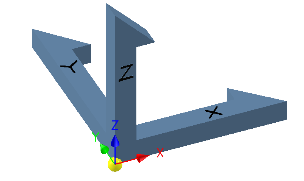
Constrain To Origin Align
Overview
Constrain To Origin Align moves selected components to the assembly origin and rotates them so their coordinate systems align with the assembly coordinate system. Use this when a component should be overlaid on the assembly origin (same origin position and same axis directions).
How It Works
- Select one or more component occurrences.
- The command moves each component to the assembly origin.
- The command rotates each component so its origin planes/axes match the assembly origin planes/axes.
- Constraints are applied to maintain the alignment.
Usage Instructions
- Open the assembly containing the components.
- Select the components to align to the origin.
- Click Constrain To Origin Align in the Placement panel.
- Review the alignment and created constraints.
Troubleshooting
- Component does not move/rotate: Check for existing constraints/grounding that may block movement.
- Alignment not as expected: Verify the component’s origin planes are correctly defined.
Examples
- Align a bracket to the assembly origin: Select the bracket and use the command to overlay its coordinate system with the assembly origin.
- Align multiple supports to the origin: Select all supports, then run the command to align them to the assembly origin.